

M12 Lens Mount Adapter
for Raspberry Pi HQ Camera
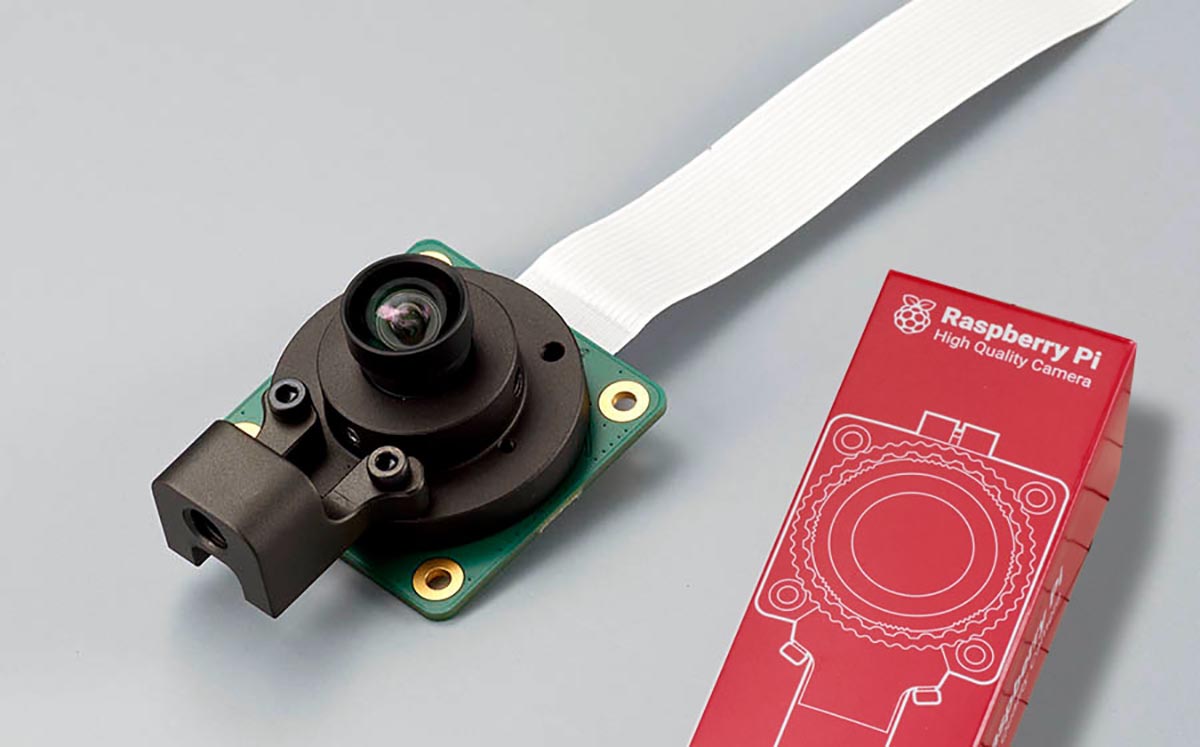
This kit is designed to allow M12/P0.5 (S-mount) lenses to be attached to the Raspberry Pi HQ camera.
By using the “Raspberry Pi HQ Camera M12 Lens Adapter”, you can use M12/P0.5 (S-mount) lenses, which are available in a wider variety and cheaper and lighter than C/CS mount lenses.
*Note. Lenses with a mechanical back of 2 mm or less cannot be mounted.
Features
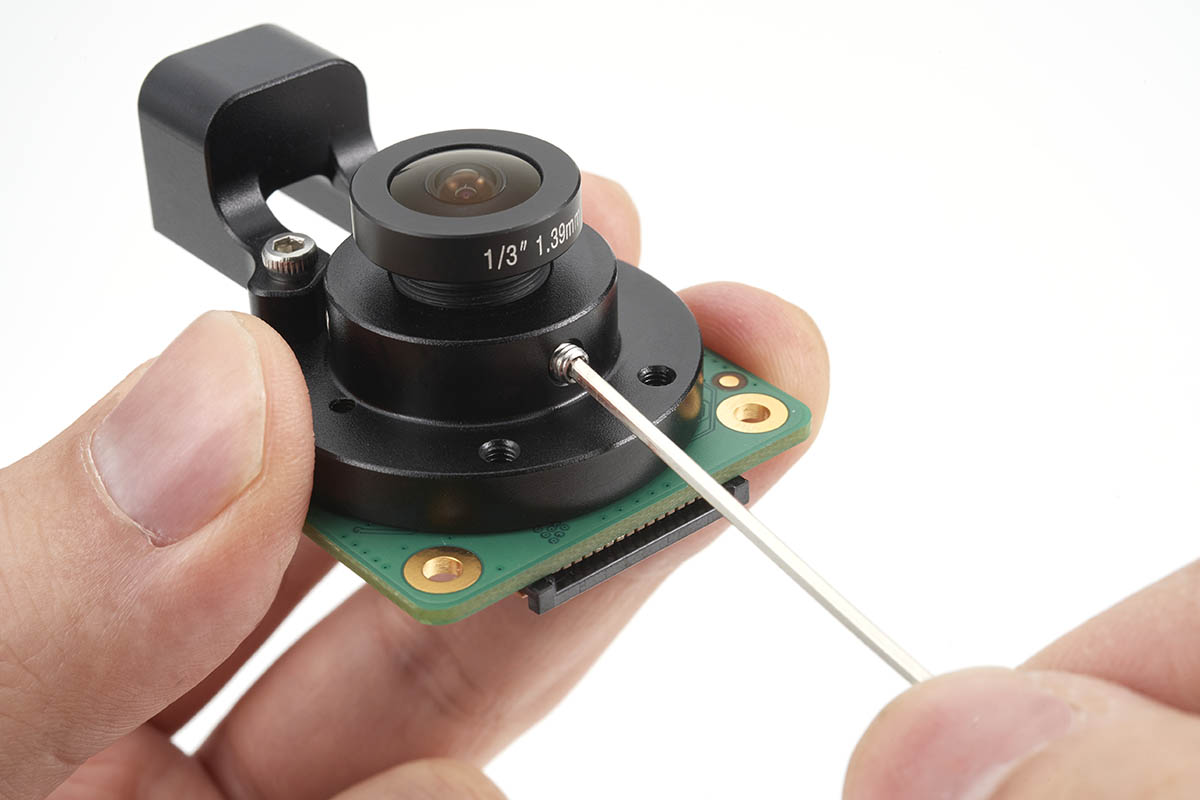
Wide Lens Selection
The adapter is compatible with M12/P0.5 (S-mount) lenses, offering a broad range of lens options that are both cost-effective and light.
Affordable and Lightweight
M12/P0.5 (S-mount) lenses are generally inexpensive and lightweight, making them a great choice for many projects.
Easy Focus Adjustment
M12 lenses allow you to adjust focus while screwing them into the adapter, providing ease of focus control for different shooting scenarios.
Focus Locking
The adapter features a lens locking screw on the side to prevent the lens from shifting focus due to touch or vibration. This ensures stable and consistent focus during use.
Products
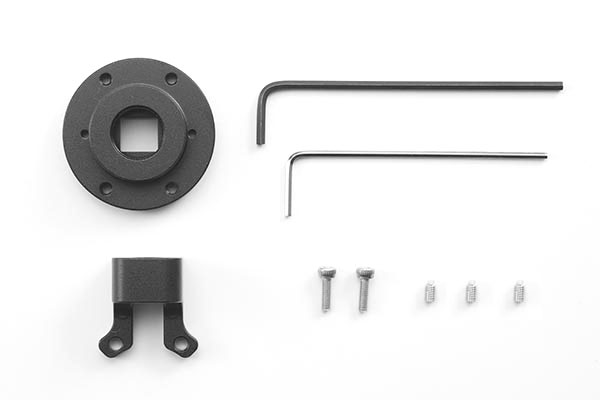
M12 KIT
This kit is designed to attach a lens mount adapter by yourself. (* Requires modification of the camera.)
Product Number: RP-HQ-M12-KIT
Price:5,900JPY(tax-exclusive price)
Note: Sold as parts only; RaspberryPi Camera HQ and lens must be purchased separately.
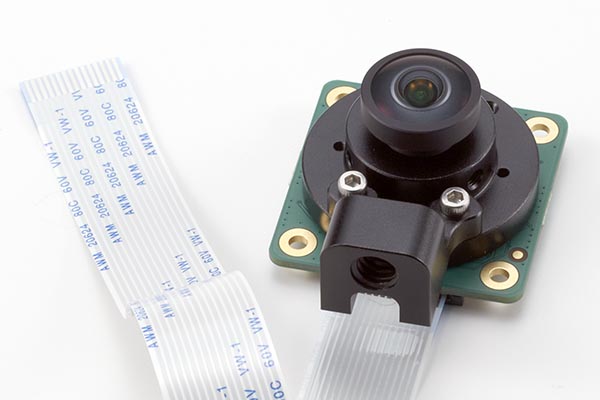
Pre-assembled camera module
This camera module replaces the lens mount portion of the Raspberry Pi HQ camera with a mount adapter compatible with M12/P0.5 (S-mount) lenses.
Product Number: RP-HQ-M12
Price:15,900JPY(tax-exclusive price)
Note: M12 lens must be purchased separately.
Related Product
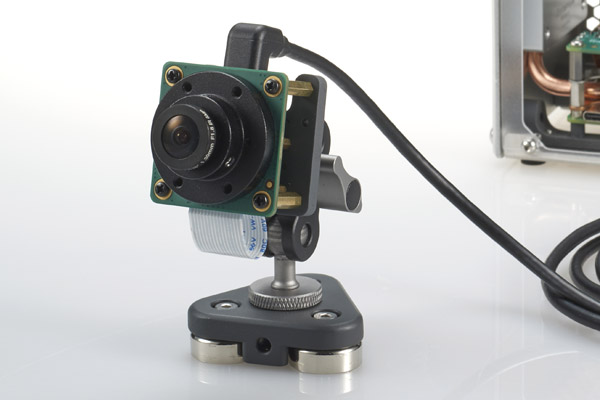
Camera Mounting Plate
This mounting plate allows the Raspberry Pi HQ camera to be fixed to a tripod or similar. The plate has 1/4-20” threaded holes for use with photographic imaging equipment.
Interchangeable lenses
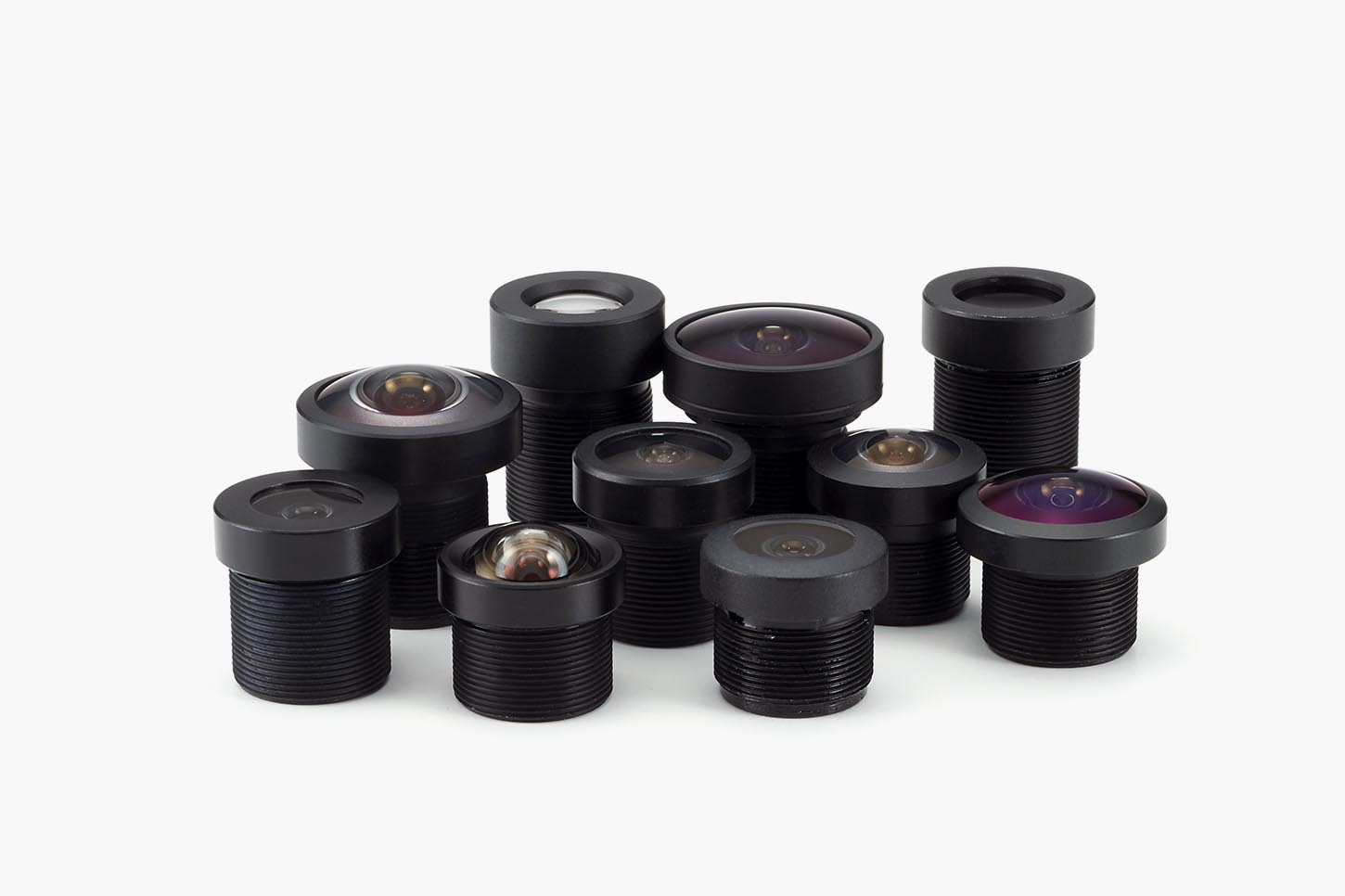
Lens Options Compatible with the Raspberry Pi HQ Camera M12 Lens Adapter
You can select an M12/P0.5 (S-mount) lens that is compatible with the Raspberry Pi HQ camera M12 lens adapter.
Commercially available M12/P0.5 (S-mount) lenses can also be used, but some lenses may not be able to focus.
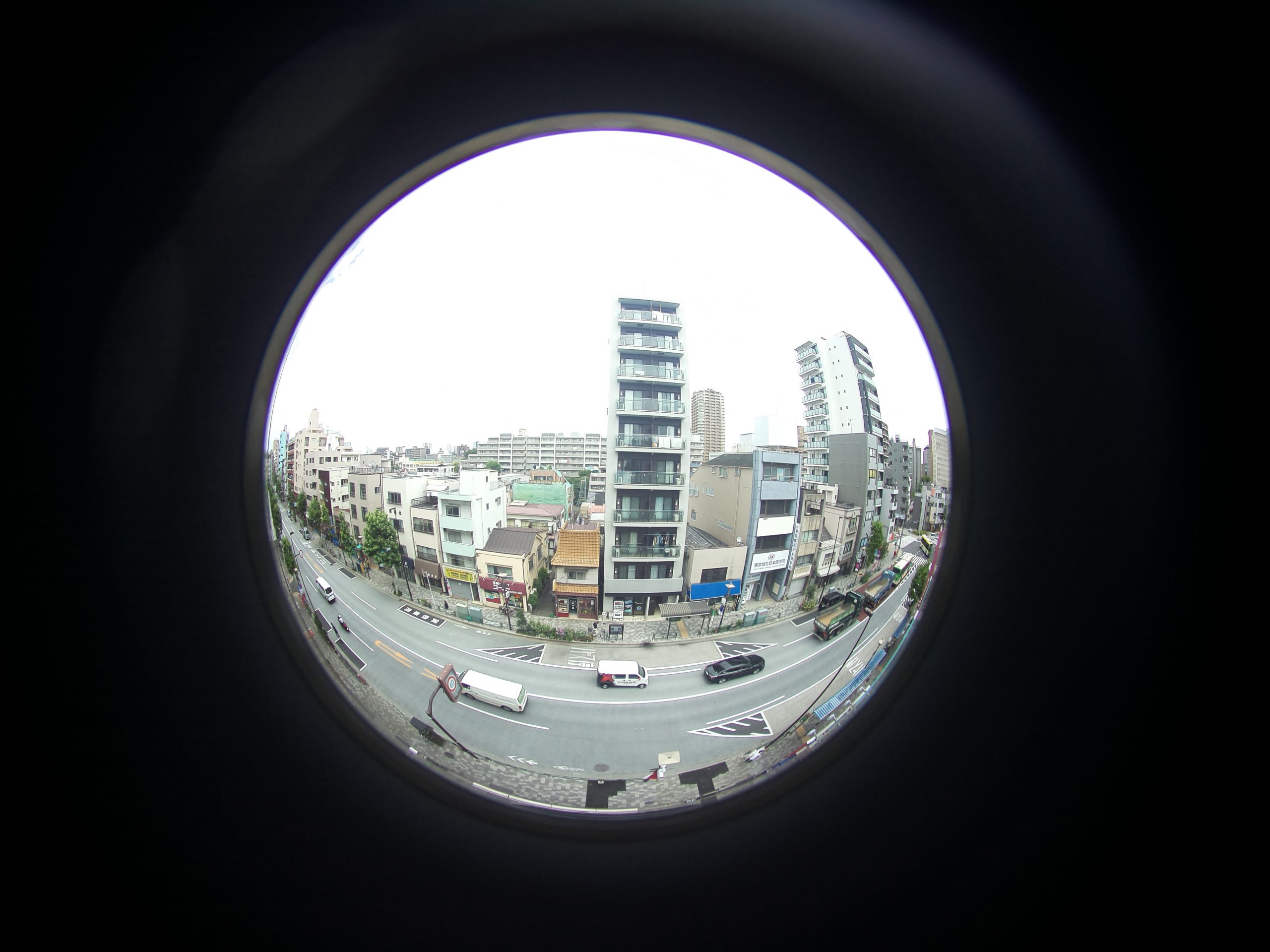
RP-L185
Fisheye lens with a 185° .
A circler image in the center of the image.
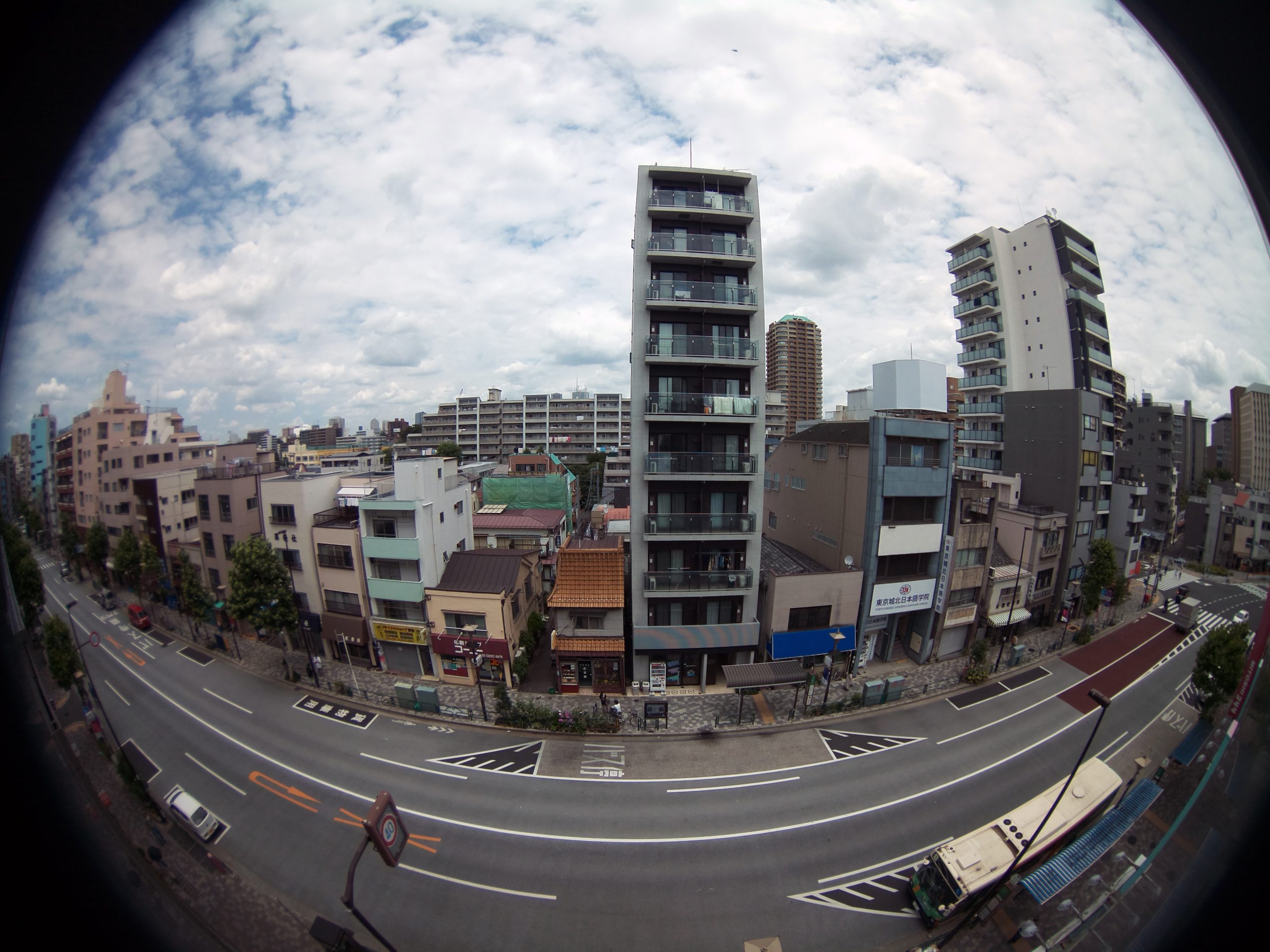
RP-L125
This lens provides a horizontal field of view of approximately 120°.
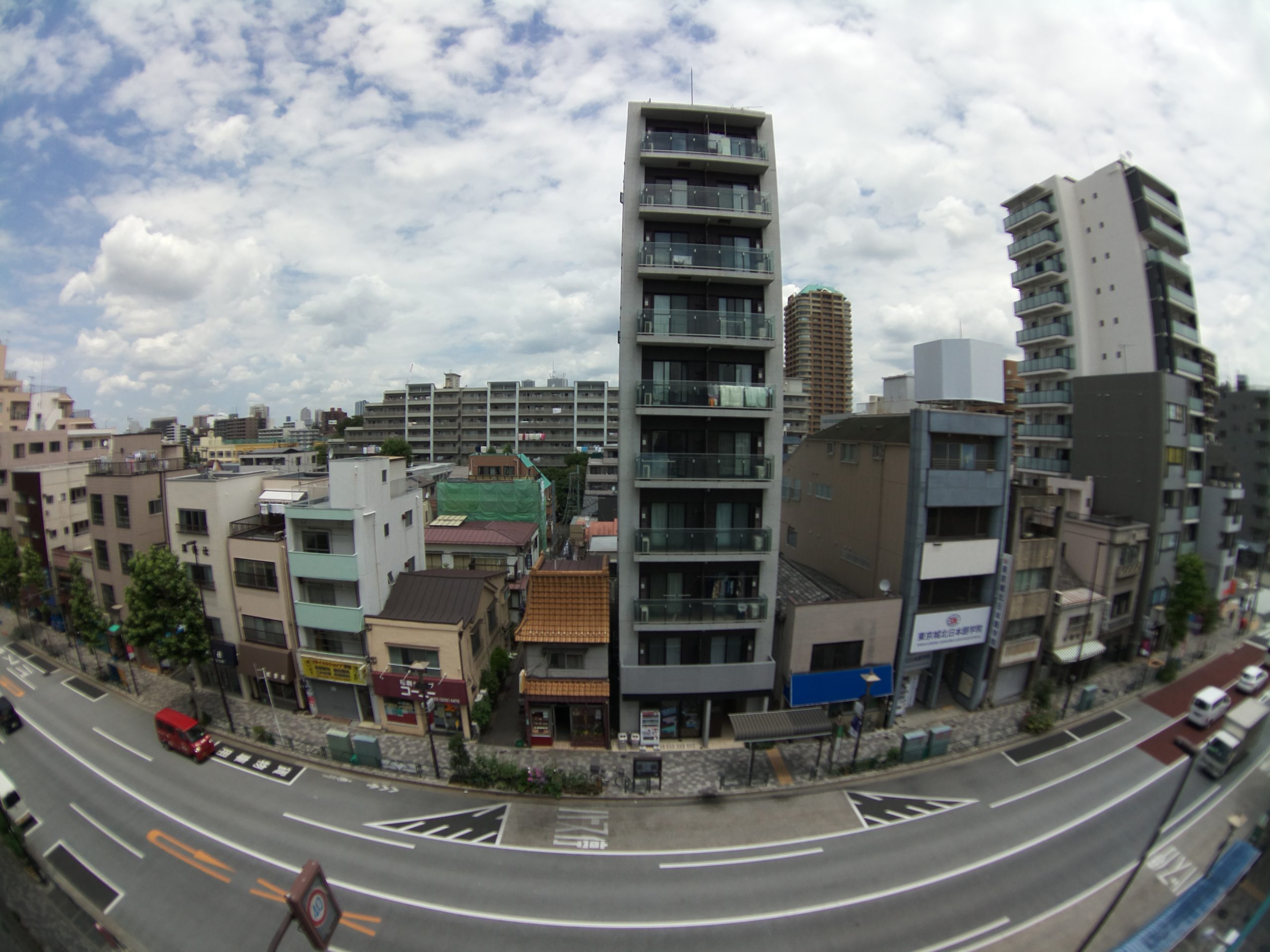
RP-L100
This lens is the widest wide-angle image with HQ camera.
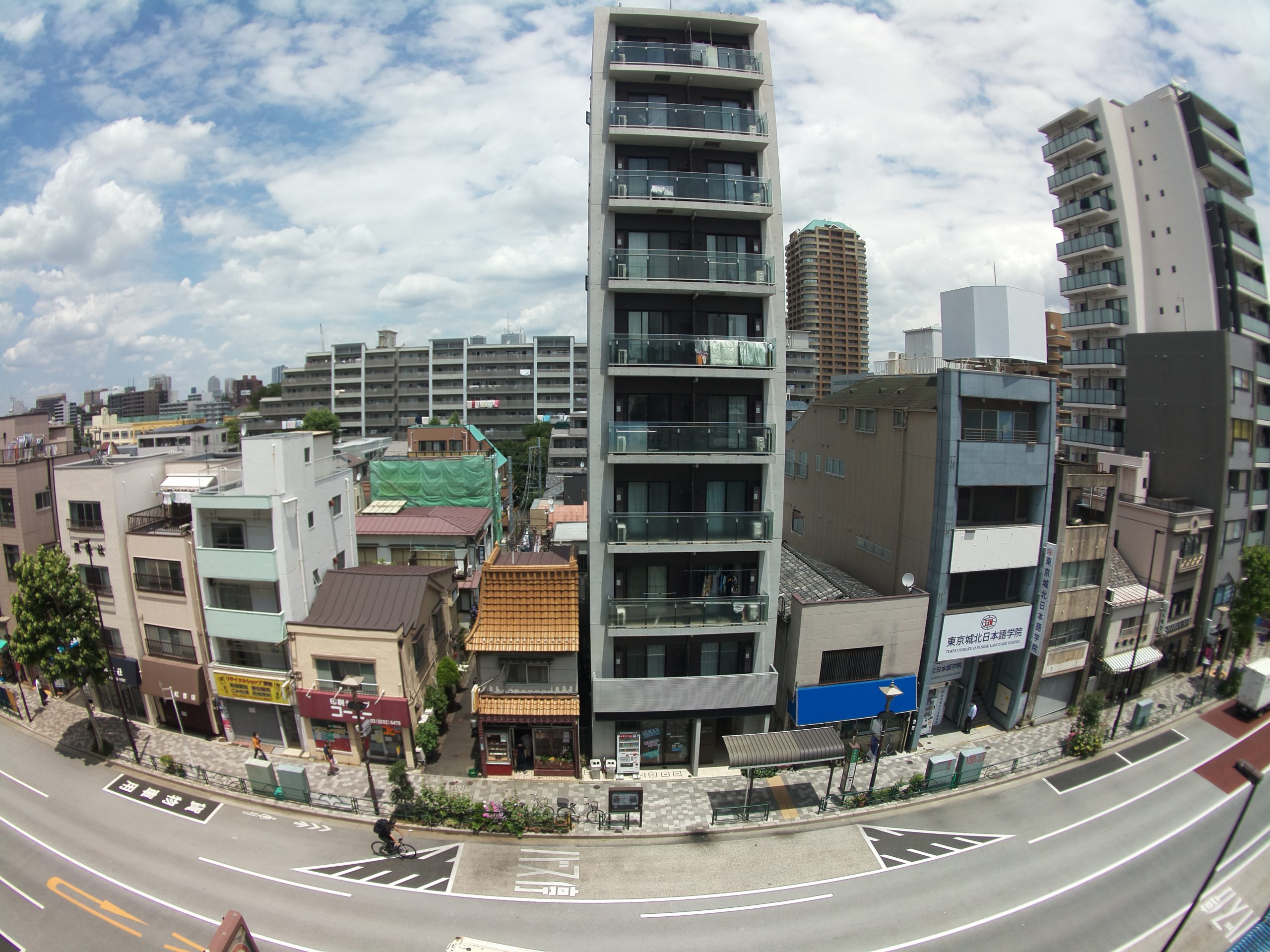
RP-L85
This lens produces high-quality, sharp images at wide angles.
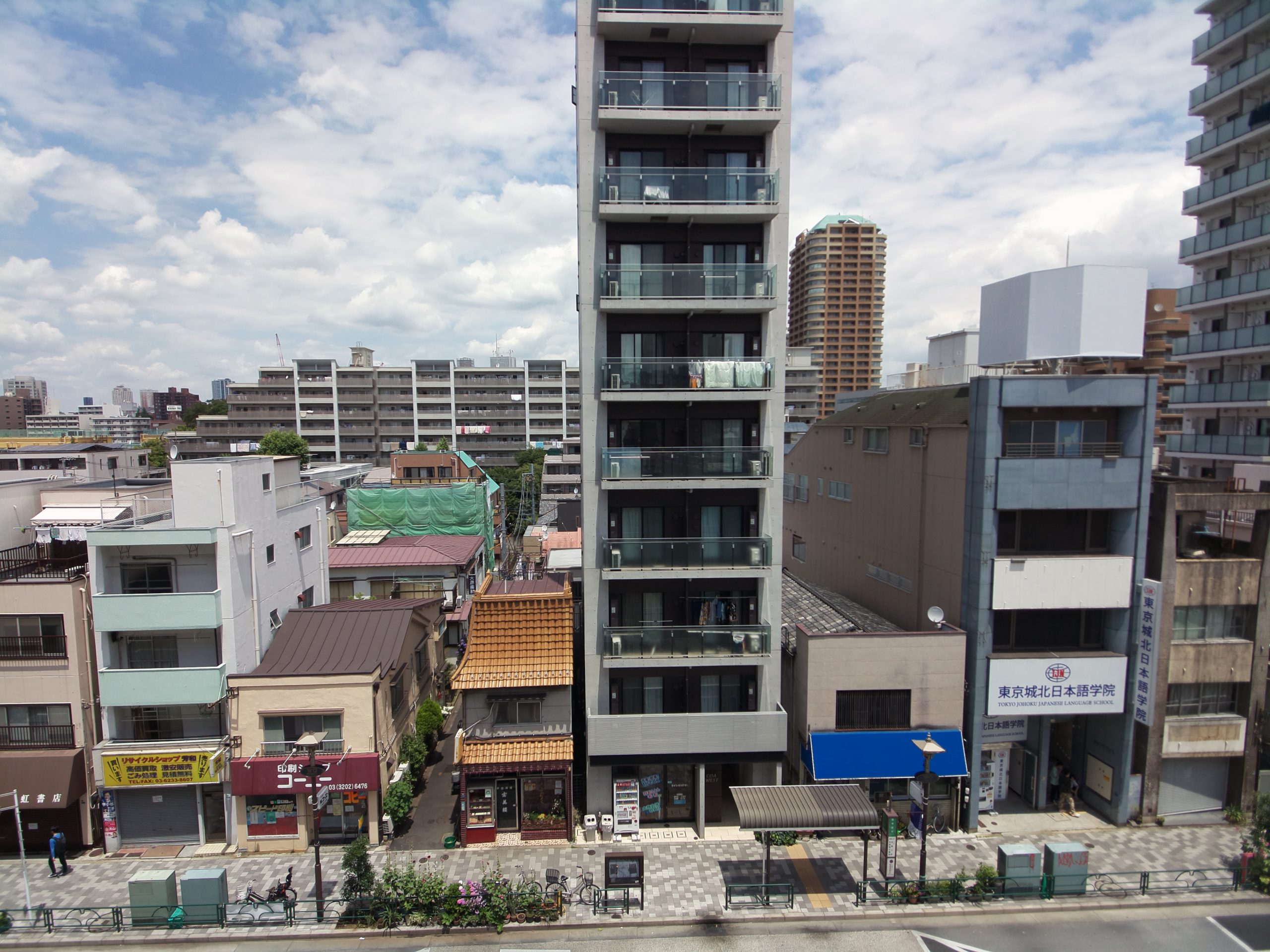
RP-L55
This lens provides an angle of view close to that of a standard lens with minimal barrel distortion.
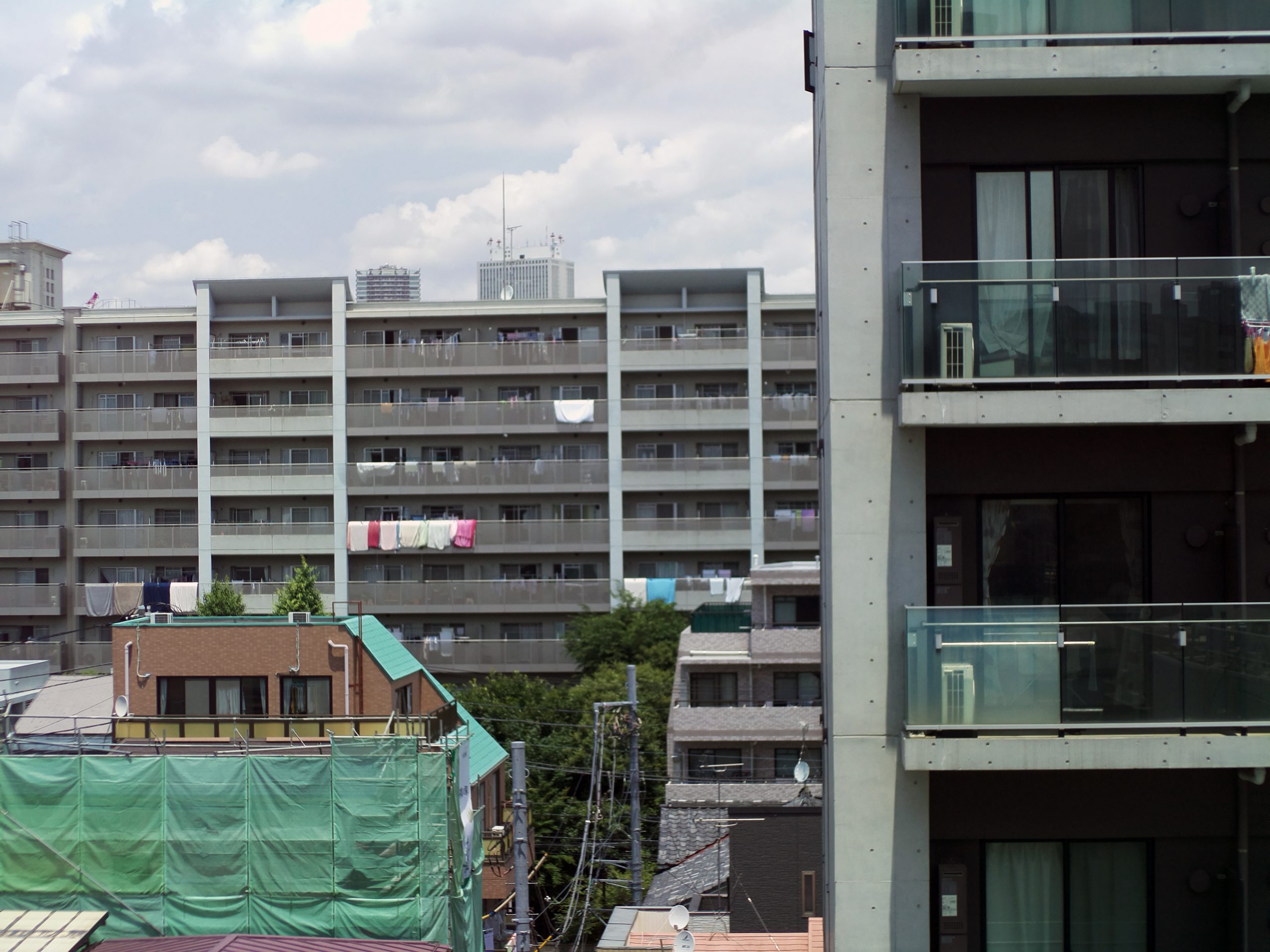
RP-L20
This lens allows the Raspberry Pi HQ camera to be used as a telephoto camera.
Installation
Easy to install and return to the original
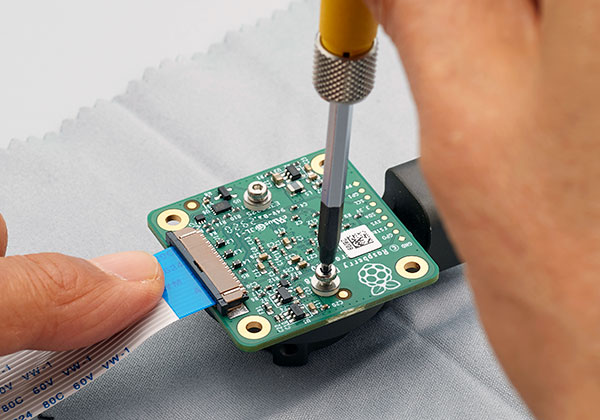
The mounting adapter for the Raspberry Pi HQ camera needs to be replaced, but this is easily done. The camera can also be used as the original camera by changing back to the HQ camera’s original mount adapter.
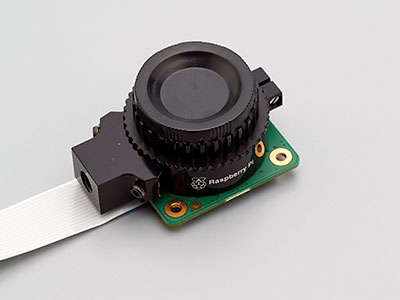
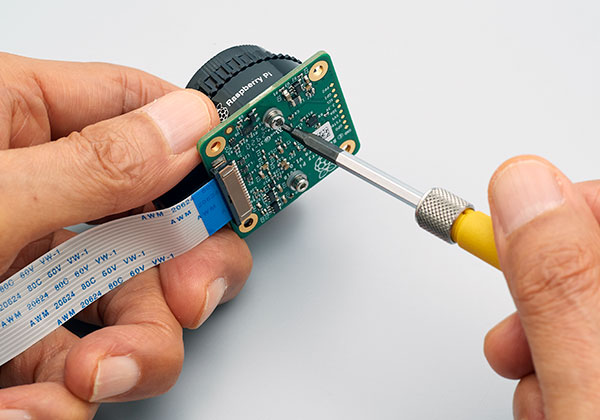
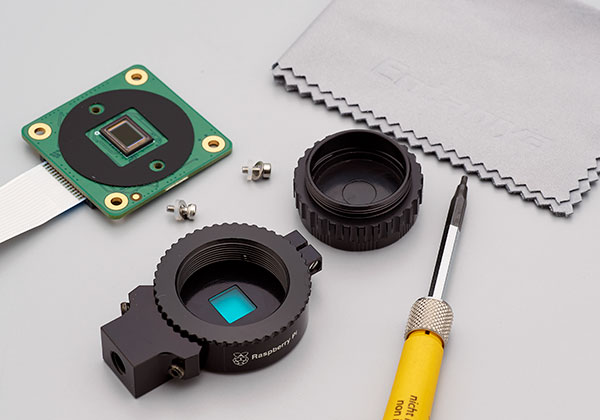
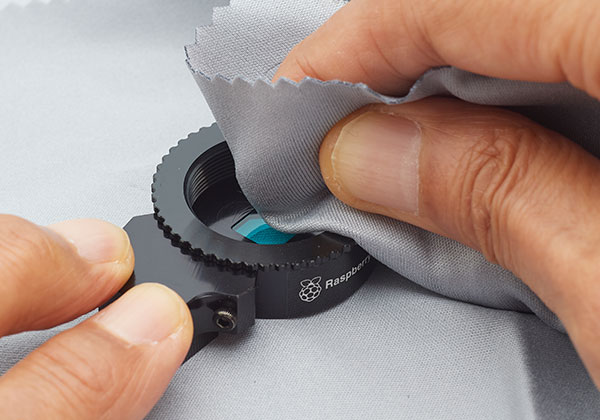
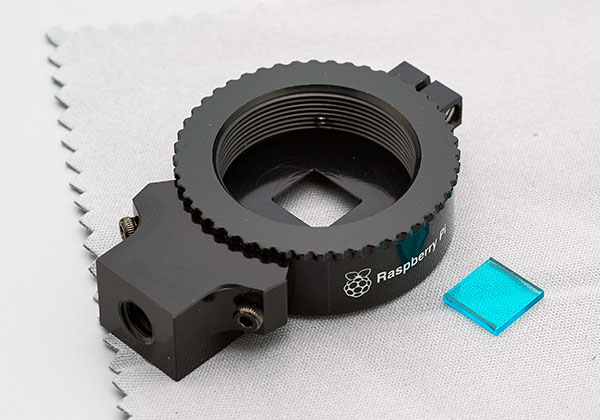
I was able to remove the mount adapter from the camera.
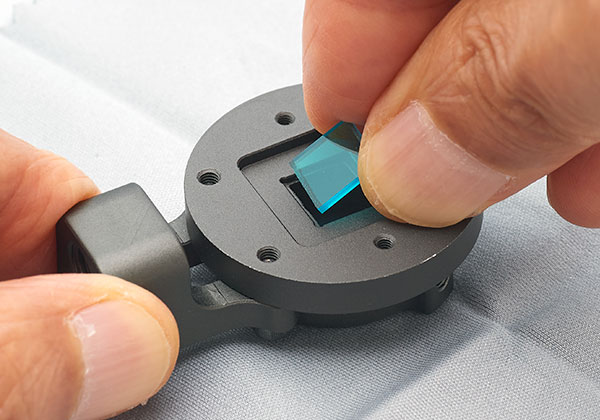
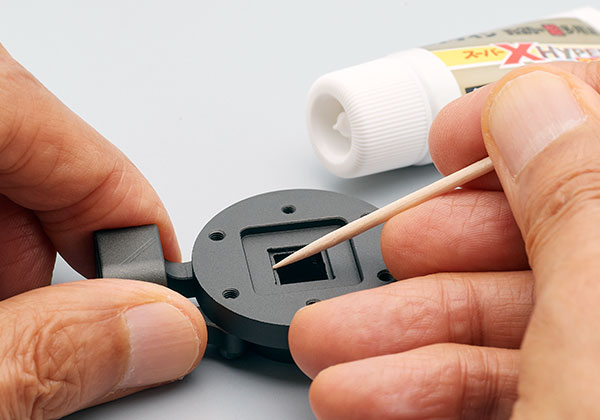
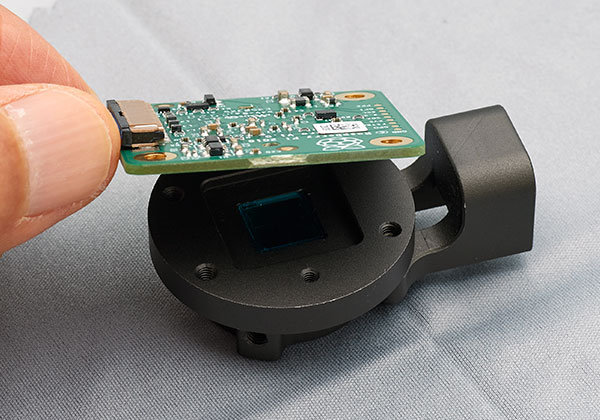
About fixing the filter
Since the filter is not fixed, it may move and damage the glass of the sensor when used in a place with vibration.
It is recommended that the filter be glued to the mount adapter and fixed in place before use.
When gluing the filter, take a small amount of adhesive on the tip of a toothpick or the like before gluing. Be careful not to apply too much.

About Quantity Discounts
We offer a quantity discount service for corporate customers. If you are considering purchasing in large quantities, please contact us in advance using the inquiry form below. Please note that the discount varies depending on the type of product, selling price, quantity, and time of purchase.
Trademarks & Compatibility Notice
All product names, trademarks, and registered trademarks mentioned on this website are the property of their respective owners.
Raspberry Pi is a trademark of Raspberry Pi Ltd.