

Raspberry Pi HQ Camera Fisheye Lens Adapter EFM15
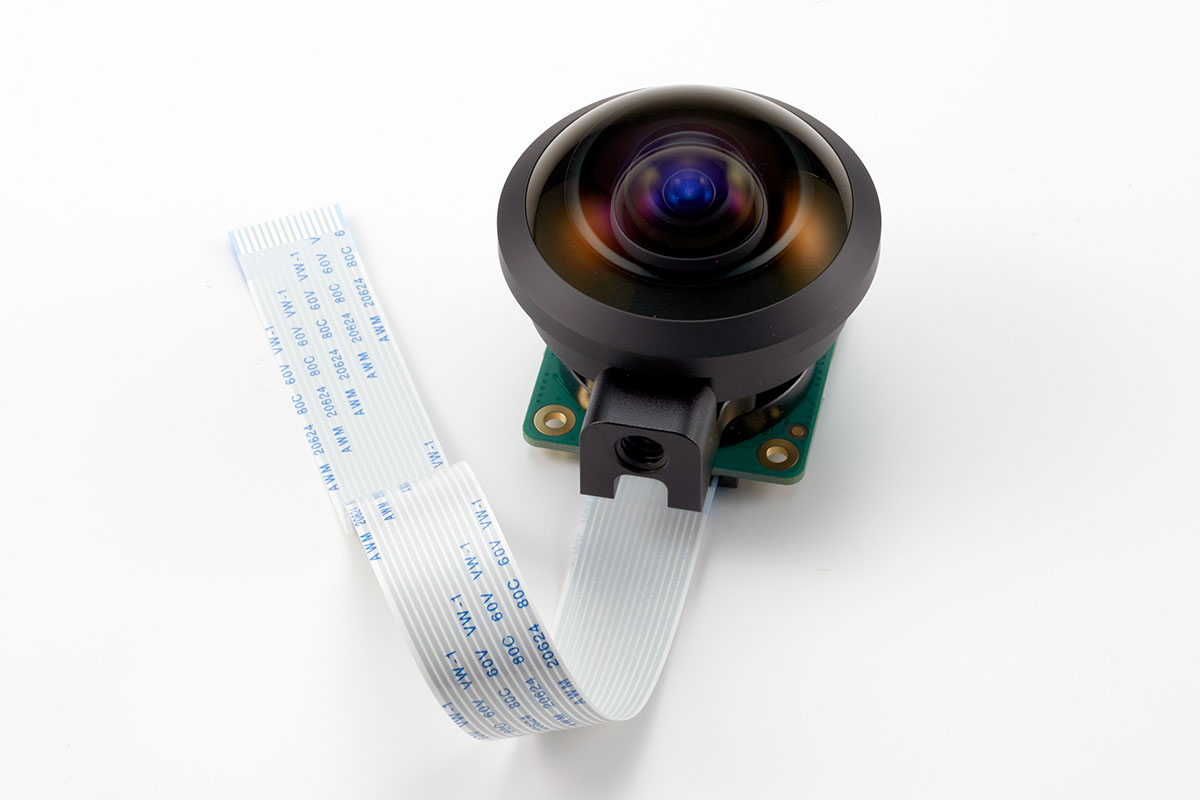
Adapter to change RaspberryPi HQ camera into a fisheye camera
The kit to attach a fisheye lens (Entaniya Fisheye M15 250°) to the RaspberryPi HQ camera.
By attaching the Entaniya Fisheye M15 250 of 250 degree fisheye lenses, the RaspberryPi HQ camera can capture ultra-wide angle fisheye images.
Advantages of using a fisheye lens
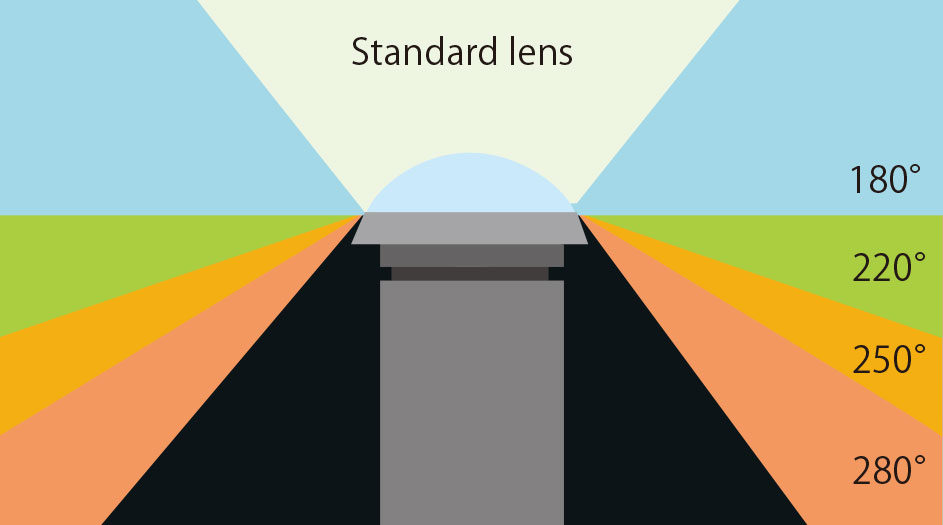
Wide area with fewer cameras
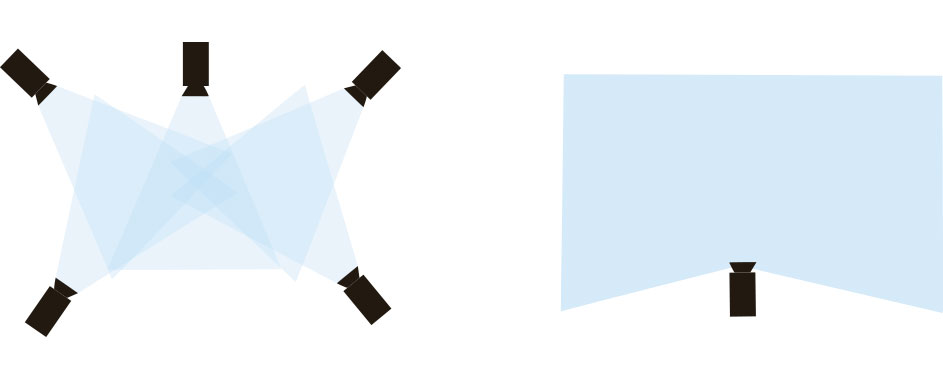
A camera using a fisheye lens can capture wide-angle images with a single camera, allowing a wide area to be captured with a small number of cameras.
Fewer cameras can simplify the system, reduce problems such as breakdowns, and lower costs.
This is especially useful in small spaces where multiple cameras cannot be installed.
Taking advantage of their wide-angle field of view, fisheye lenses are used in diverse fields such as pipe inspection, security cameras, topographical surveys, traffic line surveys, cloud coverage surveys, vehicle-mounted cameras, drones, and robots.
One of the advantages of ultra-wide-angle fisheye lenses is that a single camera can capture a wide area.
For example, if you want to record images of an intersection, you would need to use multiple cameras with a standard lens, but with a 250-degree lens, you can record all four directions of the intersection with a single camera. Reducing the number of cameras provides advantages in terms of cost reduction and maintenance.
Entaniya Fisheye M12 250 (250 degrees)
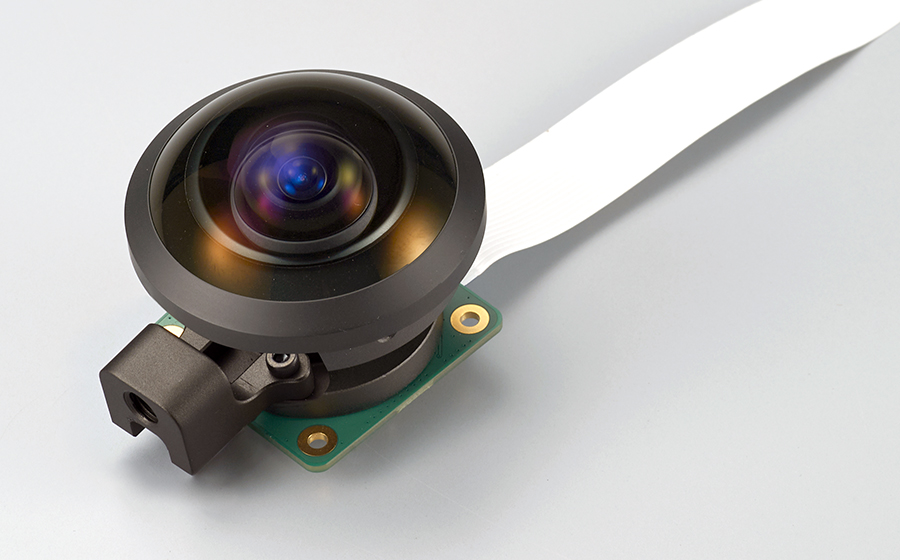
The lens used in the RaspberryPi HQ Camera Fisheye Lens Adapter is a fisheye lens called the Entaniya Fisheye M15 250.
This is a specially designed lens with a lens axis that is thicker and stronger than a standard lens axis.
Originally developed for 360VR photography, the Entaniya Fisheye M15 250 is a high-quality fisheye lens with an ultra-wide angle of view of 250 degrees, which is unparalleled among fisheye lenses with a typical angle of view of 180 degrees, and sharp images right to the periphery.
The specifications of the lenses are similar to those of the Entaniya Fisheye M12 250, but this specially priced set is available at a lower price than the M12 250.
Angle of view and Image size
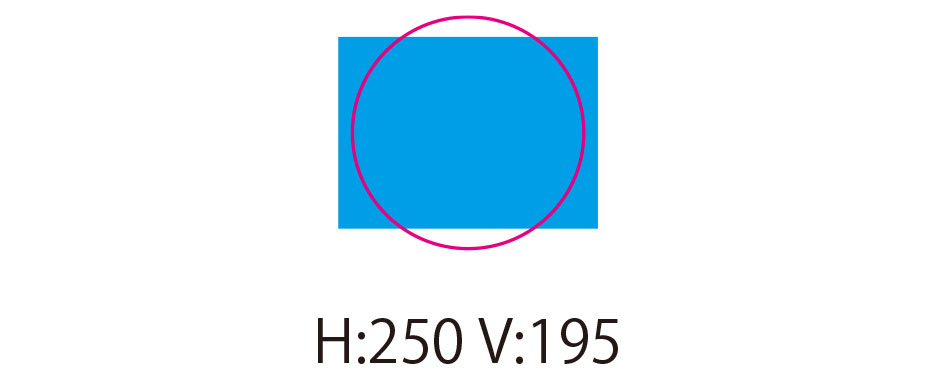
Using the Entaniya Fisheye M15 250 with the RaspberryPi HQ camera produces the image shown above.
The top and bottom of the circumferential image will be cut off, but a viewing angle of about 250 degrees horizontally and 195 degrees vertically can be captured.
Shooting Image
Entaniya Fisheye M15 250 (250 degrees)
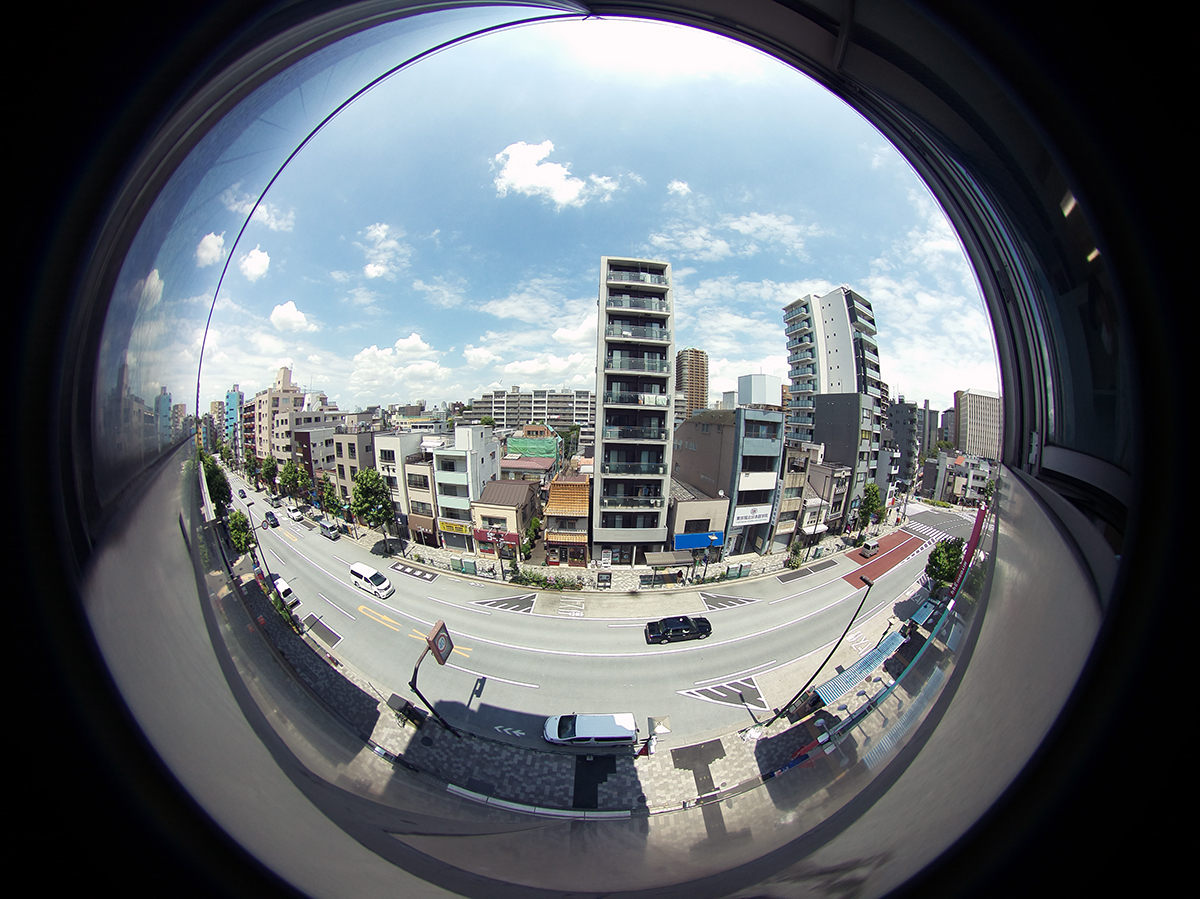
When photographed with the RaspberryPi HQ camera, the vertical field of view is approximately 195 degrees.
A single camera captures a wide range of images
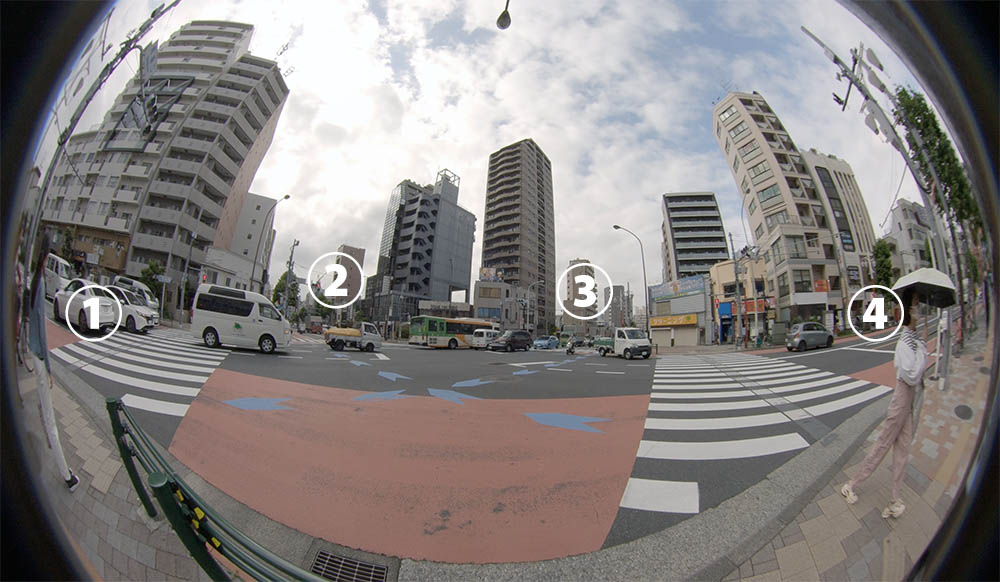
One of the advantages of ultra-wide-angle fisheye lenses is that a single camera can capture a wide area.
For example, if you want to record images of an intersection, you would need to use multiple cameras with a standard lens, but with a 250-degree lens, you can record all four directions of the intersection with a single camera. Reducing the number of cameras provides advantages in terms of cost reduction and maintenance.
Products
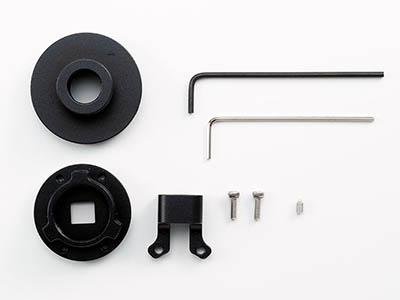
EM15 KIT
Product Number:RP-HQ-EFM15-KIT
Price:
Without Lens 8,900JPY(tax-exclusive price)
With Lens 53,900JPY(tax-exclusive price)
Note:
“Without lens” is for parts only; RaspberryPi Camera HQ and M15 lens must be purchased separately.
“With lens” is for parts and lens, please purchase RaspberryPi Camera HQ separately.
Customize the camera by yourself.
Mount adapter exclusively for Entaniya Fisheye M15 250.
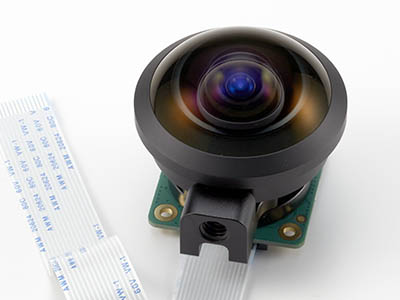
Pre-assembled camera module
Product Number:RP-HQ-EFM15
Price:
Without Lens 18,900JPY(tax-exclusive price)
With Lens 63,900JPY(tax-exclusive price)
Installation
Easy to install and return to original
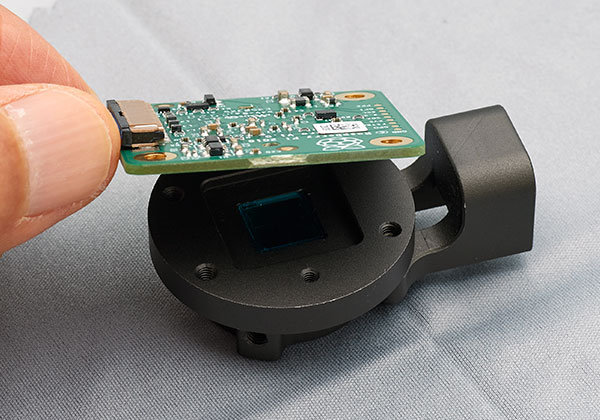
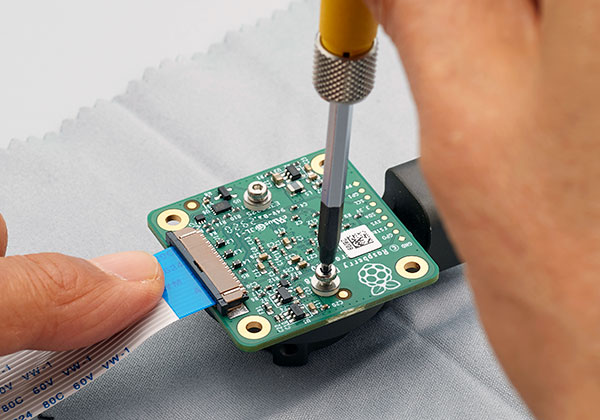
The mounting adapter for the RaspberryPi HQ camera needs to be replaced, but this is easily done.The camera can also be used as the original camera by changing back to the HQ camera’s original mount adapter.
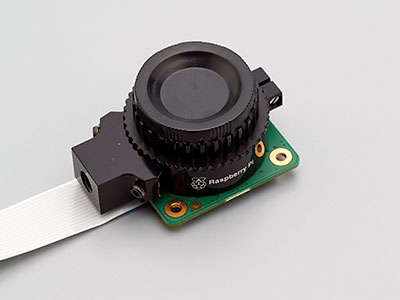
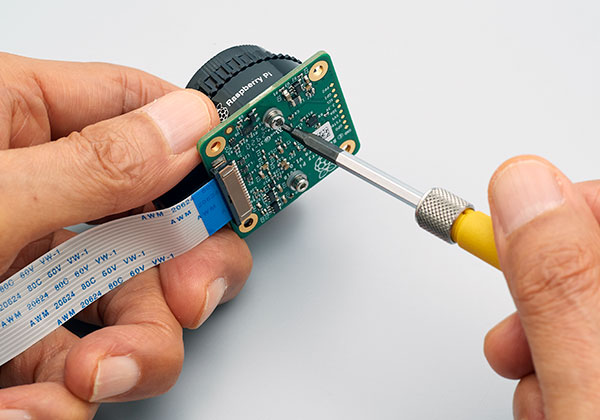
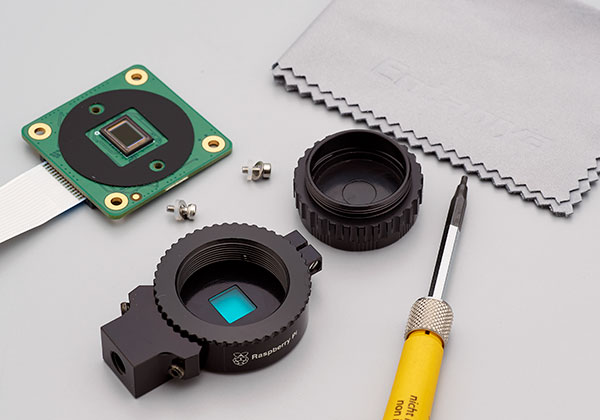
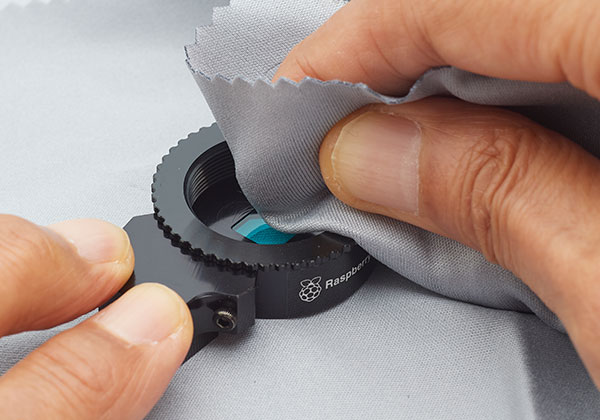
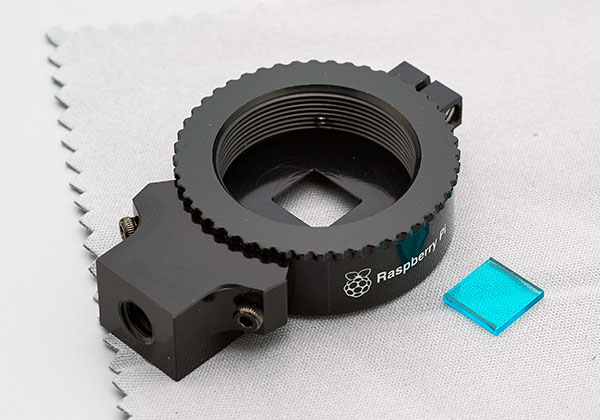
I was able to remove the mount adapter from the camera.
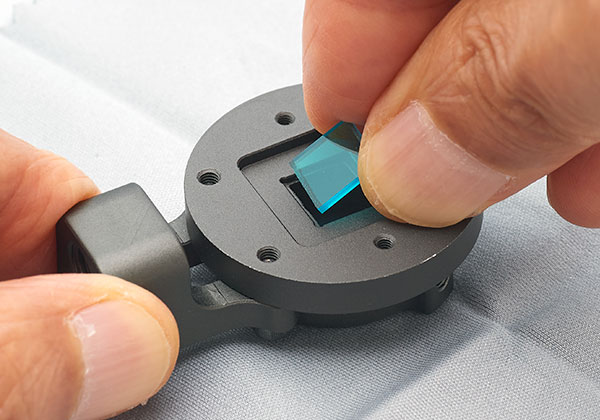
About fixing the filter
Since the filter is not fixed, it may move and damage the glass of the sensor when used in a place with vibration.
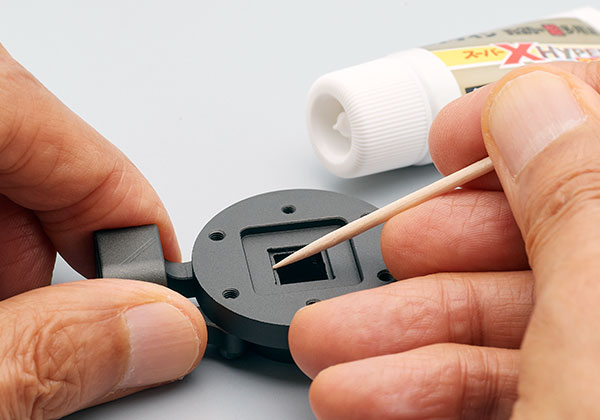
It is recommended that the filter be glued to the mount adapter and fixed in place before use.
When gluing the filter, take a small amount of adhesive on the tip of a toothpick or the like before gluing. Be careful not to apply too much.
- This product should not be incorporated into or used in medical equipment, nuclear facilities and equipment, aerospace equipment, transportation equipment and equipment that affect human life, or equipment, equipment or systems that require a high degree of reliability. Not intended. We will not be held responsible for any personal injury or social damage caused by using this product for these purposes.
- We are not responsible for any direct or indirect damage caused by the failure of this product or its use.
*We have made every effort to ensure the quality of this product, but it is not a genuine product from the manufacturer. Please be careful when using it and use it at your own ri